
TL;DR:
Identical screenshots with changing timestamps usually indicate users are keeping Time Doctor active without actual work. If timestamps are also frozen, it's likely a technical issue.
Identical Screenshots Explained
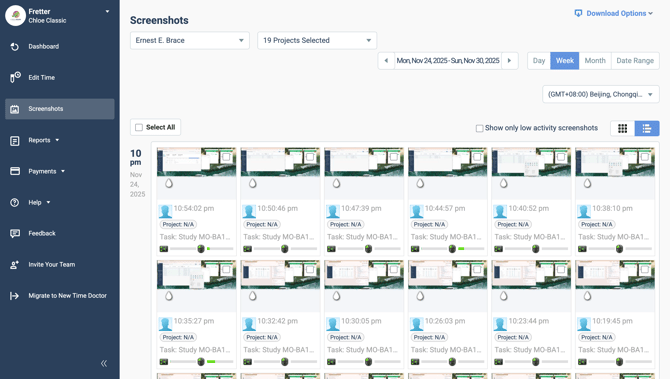
When multiple identical screenshots appear over a period of tracked time—often with different timestamps—this typically means Time Doctor continued recording time while the user's screen remained unchanged.
This behavior usually indicates that the user is not genuinely working but is keeping Time Doctor from detecting idle time. In most cases, users artificially simulate activity by randomly clicking the mouse or keyboard to avoid being marked idle.
Sample frozen screenshots:
What to Check
-
Screenshots are identical, but timestamps are progressive
This is commonly due to manual input activity (e.g., clicking without real work). It suggests that the user may be misusing the app to simulate productivity. -
Screenshots are identical and timestamps are also frozen
This may indicate a technical issue with Time Doctor. In this case, contact the support team for assistance.
Recommendation
Discuss this pattern with the user. Advise them to track time only when engaged in legitimate work activities.
At Time Doctor, promoting transparency and trust between employers and employees is a top priority. Repeating screenshots warrant a conversation with the involved user to maintain accountability.
Should there be any inconsistencies or concerns regarding the article, contact support@timedoctor.com for prompt assistance.