
TL;DR:
To complete setup in Time Doctor, download the desktop app, log in, and start tracking time with an active task to ensure a green status bar.
How to Complete the Time Doctor Setup Process
New users must follow these steps to complete the initial setup in Time Doctor:
Step 1: Download the Desktop App
Download the Time Doctor desktop app using the link provided in the invitation email. This step is necessary to begin tracking time.
Step 2: Log In Using Credentials
Open the desktop app and log in using the credentials provided during the account setup.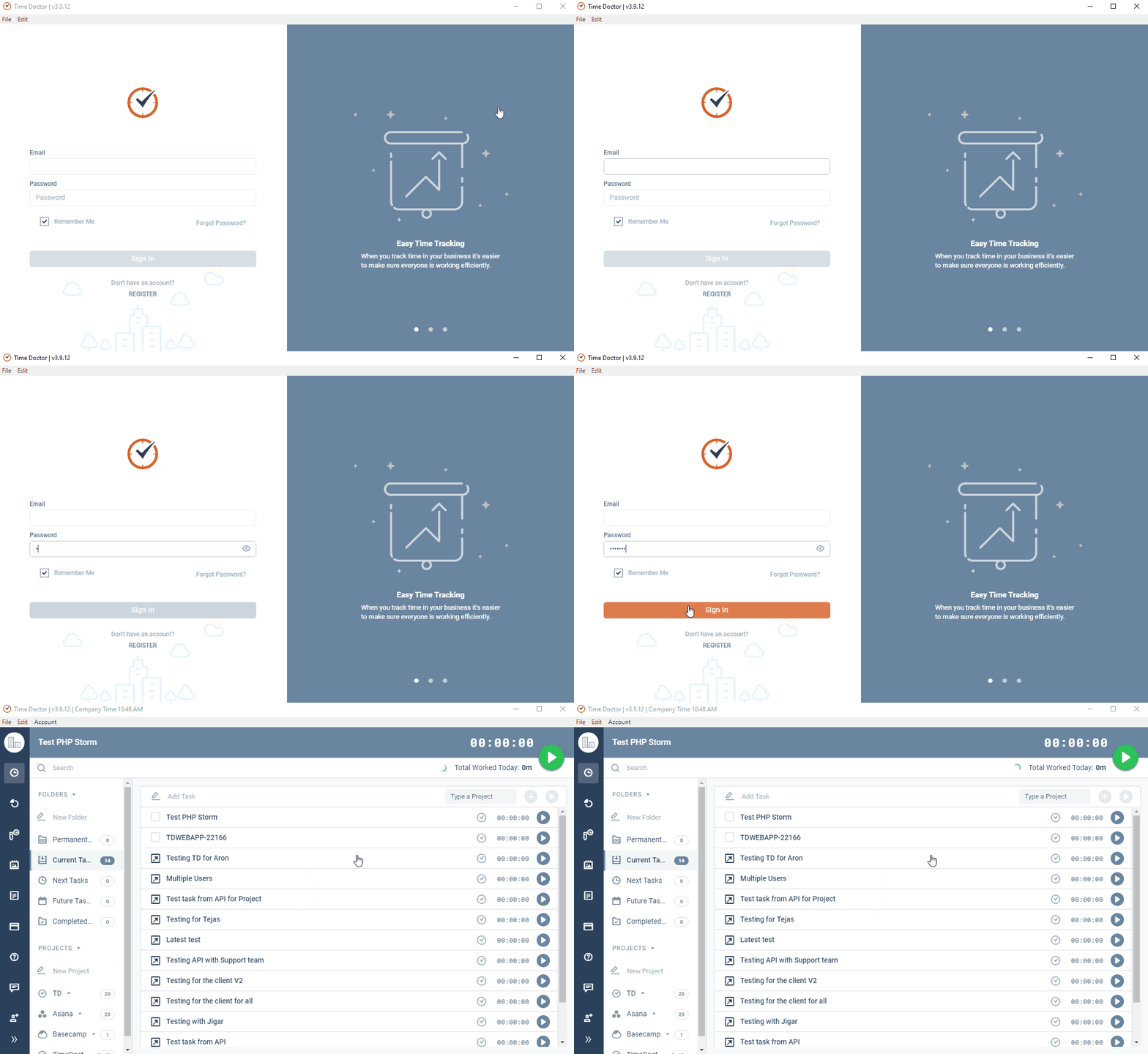
Step 3: Start Tracking Time
Create or select a task in the desktop app and start tracking time. Ensure the status bar is green, indicating that tracking is active. This step completes the setup process.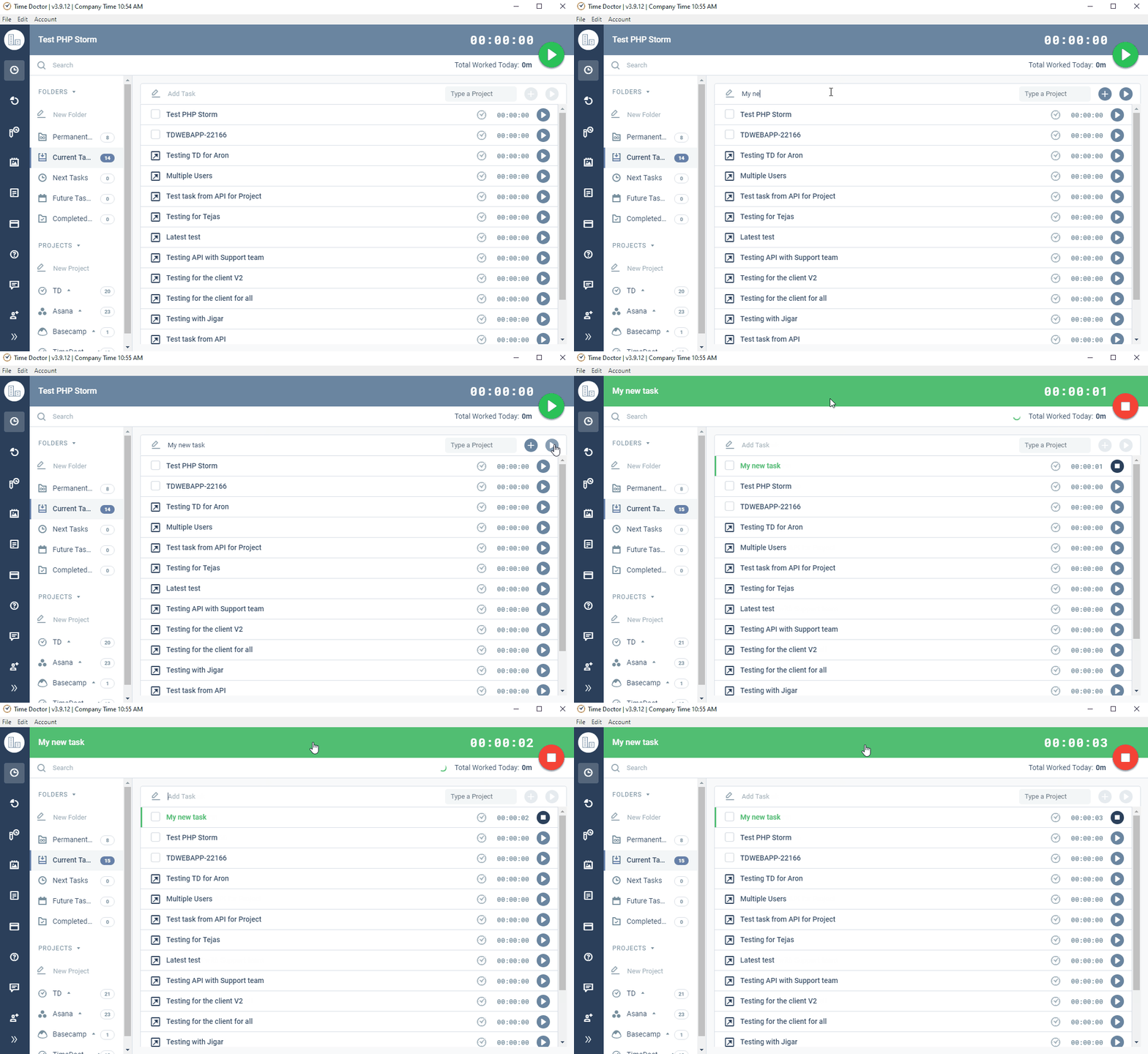
Should there be any inconsistencies or concerns regarding the article, contact support@timedoctor.com for prompt assistance.