
TL;DR:
Download and install the Time Doctor app for Windows via the Dashboard. Sign in with account credentials to start tracking time immediately.
How to Install Time Doctor on Windows
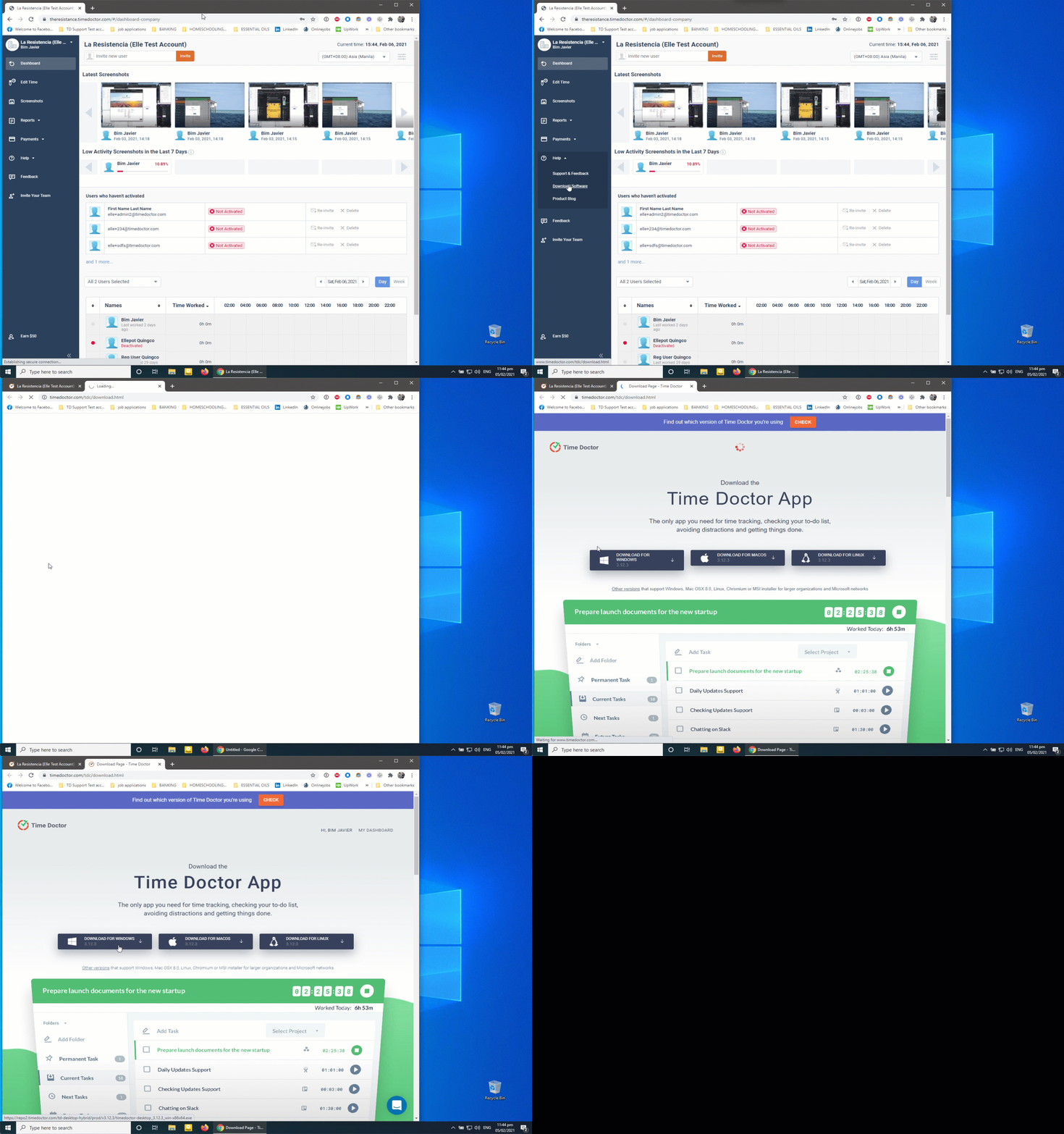
Step 1: Download the Installer
-
-
Log in to the Dashboard.
-
Navigate to Help > Download Software.
-
Click the Windows download button.
-
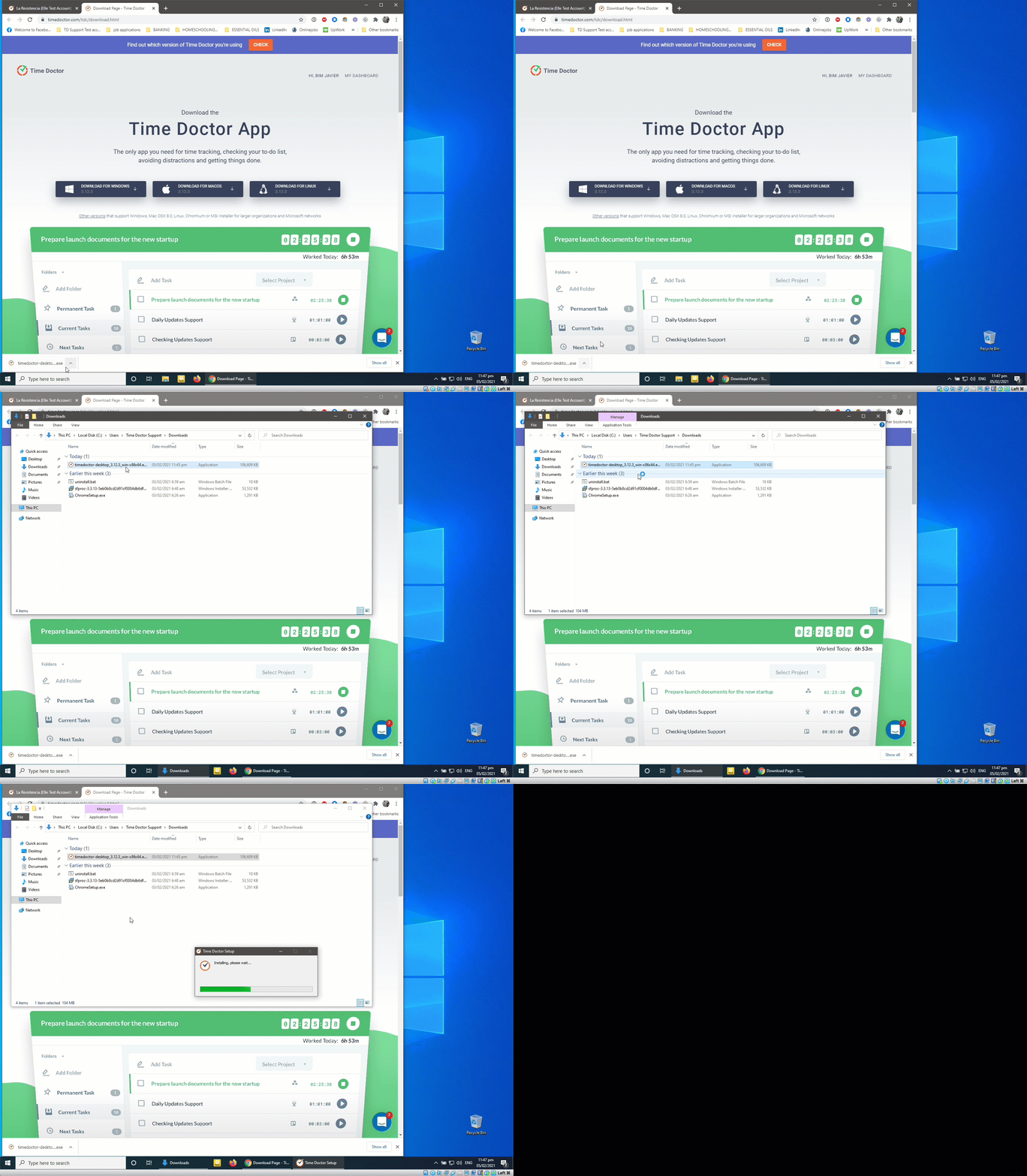
Step 2: Install the Application
-
-
Locate the downloaded installer, typically saved in the Downloads folder.
-
Run the installer. Time Doctor will be automatically installed and launched.
-
Step 3: Sign In
-
-
Enter the registered email and password.
-
Click Sign In.
-
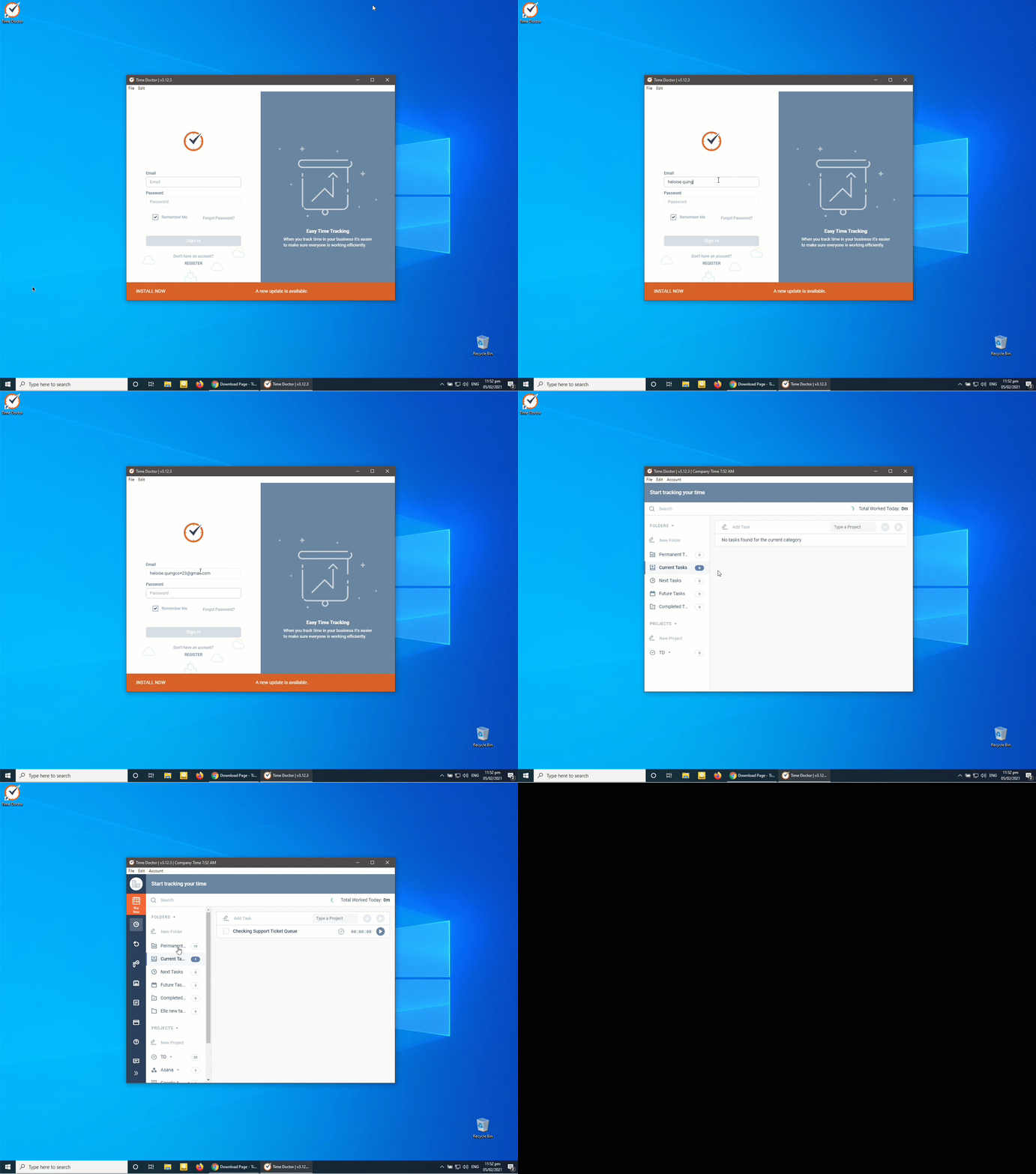
If this is the first installation, a brief tutorial will be displayed upon launch.
Should there be any inconsistencies or concerns regarding the article, contact support@timedoctor.com for prompt assistance.