
TL;DR:
Enable the Asana integration in the Settings / Company Integration Settings section of Time Doctor. Authorize Asana, select which workspaces and projects to sync, and ensure regular users activate the integration from Settings / Your Integration. Tasks will then be visible in the desktop app for time tracking.
Integration Requirements
Ensure an active Asana account is available before beginning the integration. If an account does not exist, create one at https://app.asana.com/.
Steps to Integrate Asana with Time Doctor
Step 1: Enable the Asana Integration in Time Doctor
-
Log in to the Time Doctor web dashboard.
-
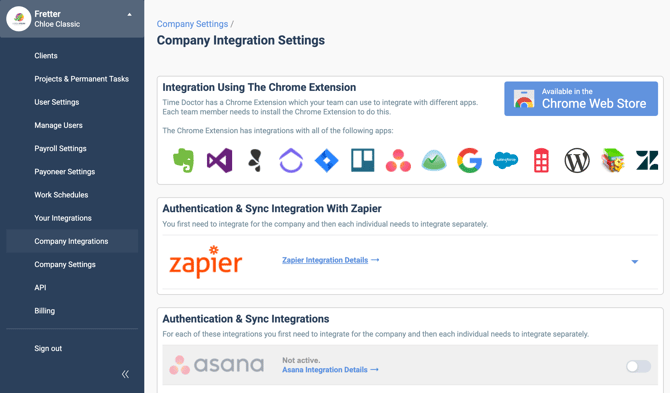
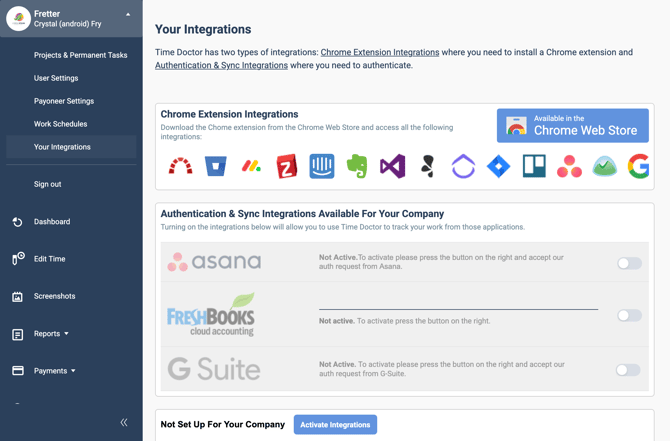
Navigate to Settings / Company Integration Settings.
-
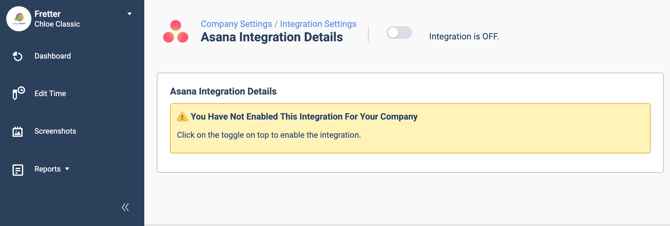
Locate the Asana integration and toggle the switch from OFF to ON.
Step 2: Authorize Asana Access
-
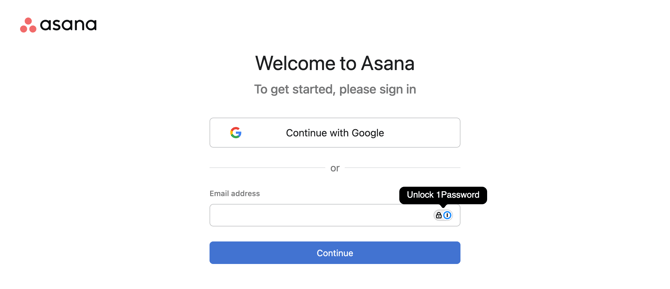
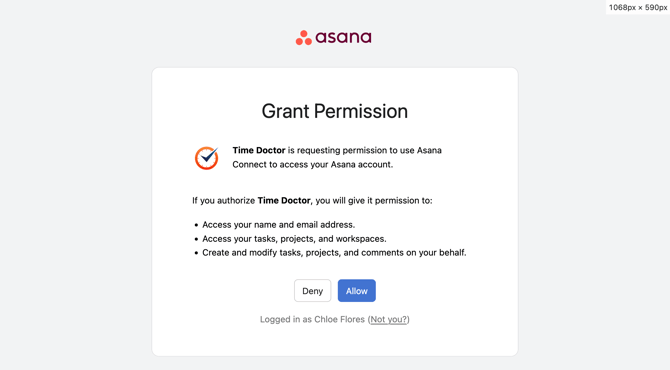
Log in to the Asana account when prompted.
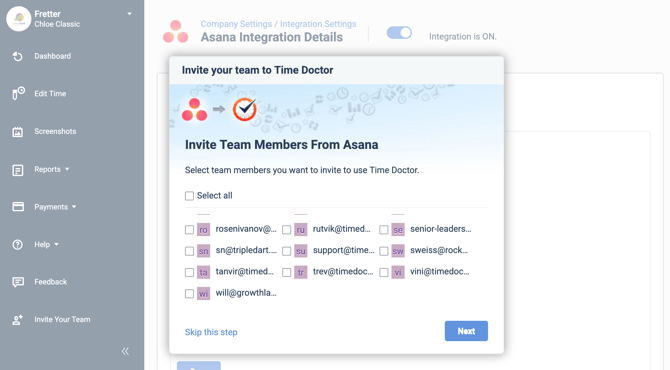
Step 3: Invite Asana Team Members (Optional)
Choose to invite team members from Asana, or skip this step by clicking Skip this step.
Step 4: Select Workspaces and Projects
-
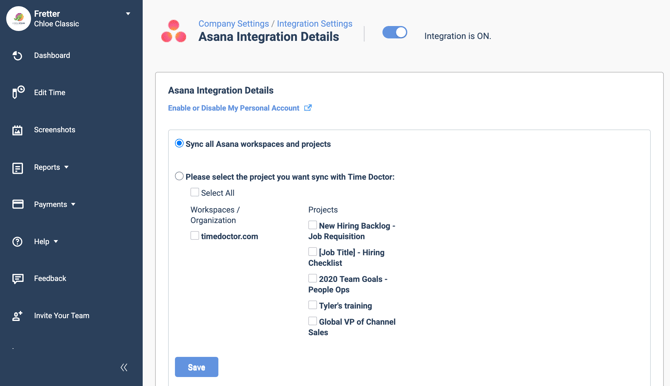
Select specific projects to sync, or choose to sync all available Asana workspaces and projects.
-
Click Save once selections are complete.
Step 5: Confirm Successful Integration
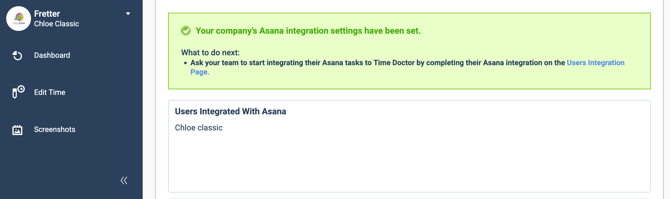
A success message will appear once integration is complete.
Step 6: Track Time on Asana Tasks
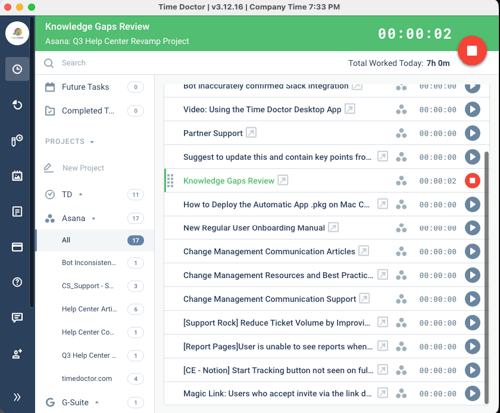
Tasks assigned via Asana will now appear in the Time Doctor desktop application. Start tracking time directly from the app.
Step 7: User-Level Integration Activation
Regular users must manually enable the integration for their individual accounts:
-
Go to Settings / Your Integration.
-
Enable the Asana integration.
Should there be any inconsistencies or concerns regarding the article, contact support@timedoctor.com for prompt assistance.