
TL;DR:
Install the Microsoft Visual C++ 2013 Redistributable (32-bit) to resolve the "MSVCR120.dll is missing" error after installing or updating the Time Doctor software on a 64-bit Windows system.
After installing or updating the Time Doctor desktop application, the following error message may appear:
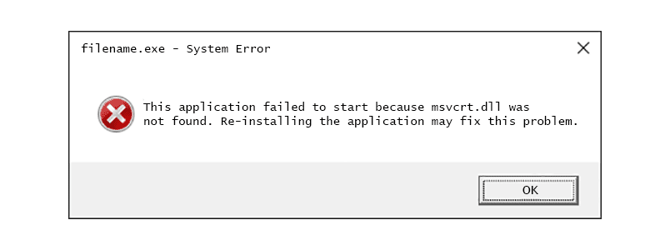
This error occurs because the MSVCR120.dll file, a component of the Microsoft Visual C++ 2013 Redistributable, is either missing or not properly installed on the system.
Cause
The MSVCR120.dll is part of the Microsoft C Runtime Library used by applications developed with Visual Studio 2013. While msvcrt.dll is reserved for system-level components, desktop applications like Time Doctor rely on public versions like msvcr110.dll (Visual Studio 2012) and msvcr120.dll (Visual Studio 2013).
This issue typically arises when the required redistributable is not installed.
Solution
To resolve this issue, install the 32-bit version of the Microsoft Visual C++ 2013 Redistributable, even if the Windows system is 64-bit.
Follow the steps below:
-
Go to the official Microsoft download page: Microsoft Visual C++ Redistributable Packages for Visual Studio 2013
-
Select vcredist_x86.exe to download the 32-bit version.
-
Run the downloaded installer and follow the on-screen instructions.
-
Once installation is complete, restart the Time Doctor application.
Additional Support
-
For more information, refer to this article
-
For further troubleshooting, refer to this support article
Should there be any inconsistencies or concerns regarding the article, contact support@timedoctor.com for prompt assistance.