
TL;DR:
A single user can be invited to and work under multiple Time Doctor companies. The user must select the appropriate company before tracking time to ensure accurate reporting.
Yes, a single user can work for multiple Time Doctor companies.
Each company can independently invite the same user to join their account. Once the user accepts invitations from multiple companies, a switching option becomes available within both the Time Doctor web dashboard and the desktop application.
This allows the user to choose which company to record time and view reports for.
Important: Always select the correct company account before starting the time tracker. Otherwise, the recorded time may be attributed to the wrong company.
Switch Companies on the Web Dashboard
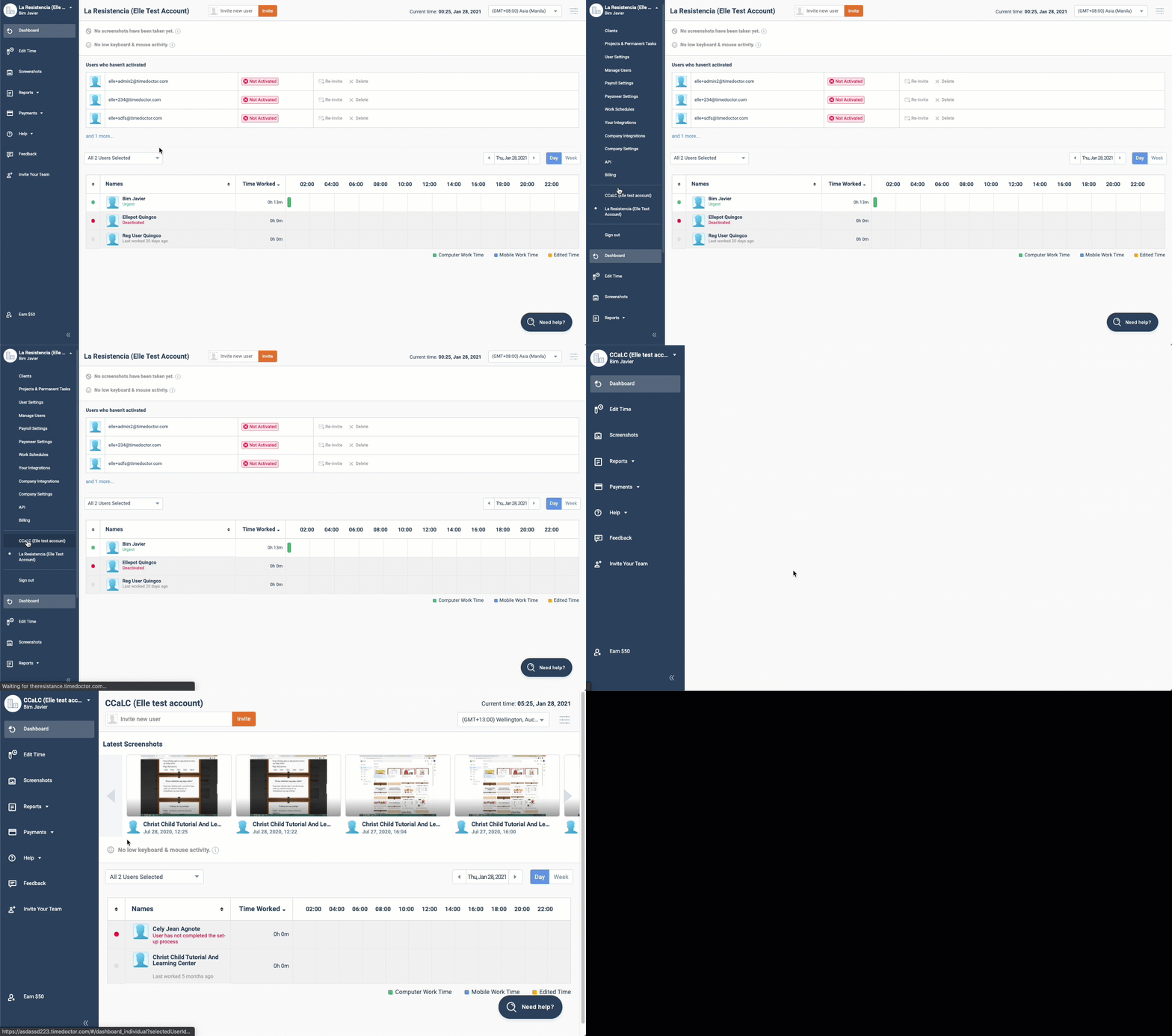
On the upper left-hand corner of the web dashboard, the current company name is displayed. Click the company name to open the dropdown and switch to a different company account.
Switch Companies on the Desktop Application
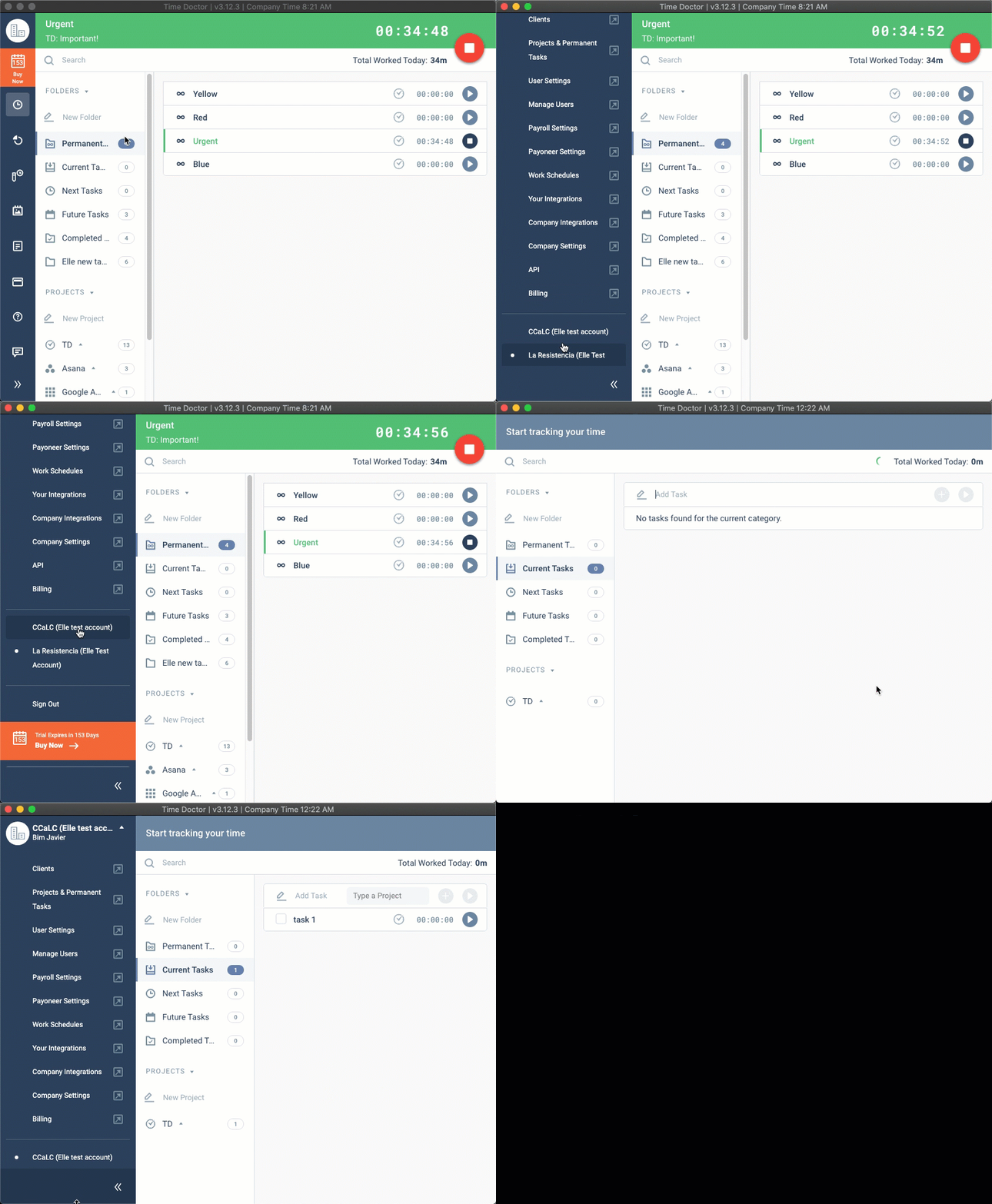
The desktop application also provides an option to switch between companies. Use this feature before tracking time to ensure accurate attribution.
Should there be any inconsistencies or concerns regarding the article, contact support@timedoctor.com for prompt assistance.