
TL;DR:
Download the installer, drag the app to the Applications folder, and launch Time Doctor from Launchpad. Follow linked help if errors occur.
How to Install Time Doctor on Mac OS X
Step 1: Download the Installer
Download the installer from the official Time Doctor download page.

Step 2: Install the App
-
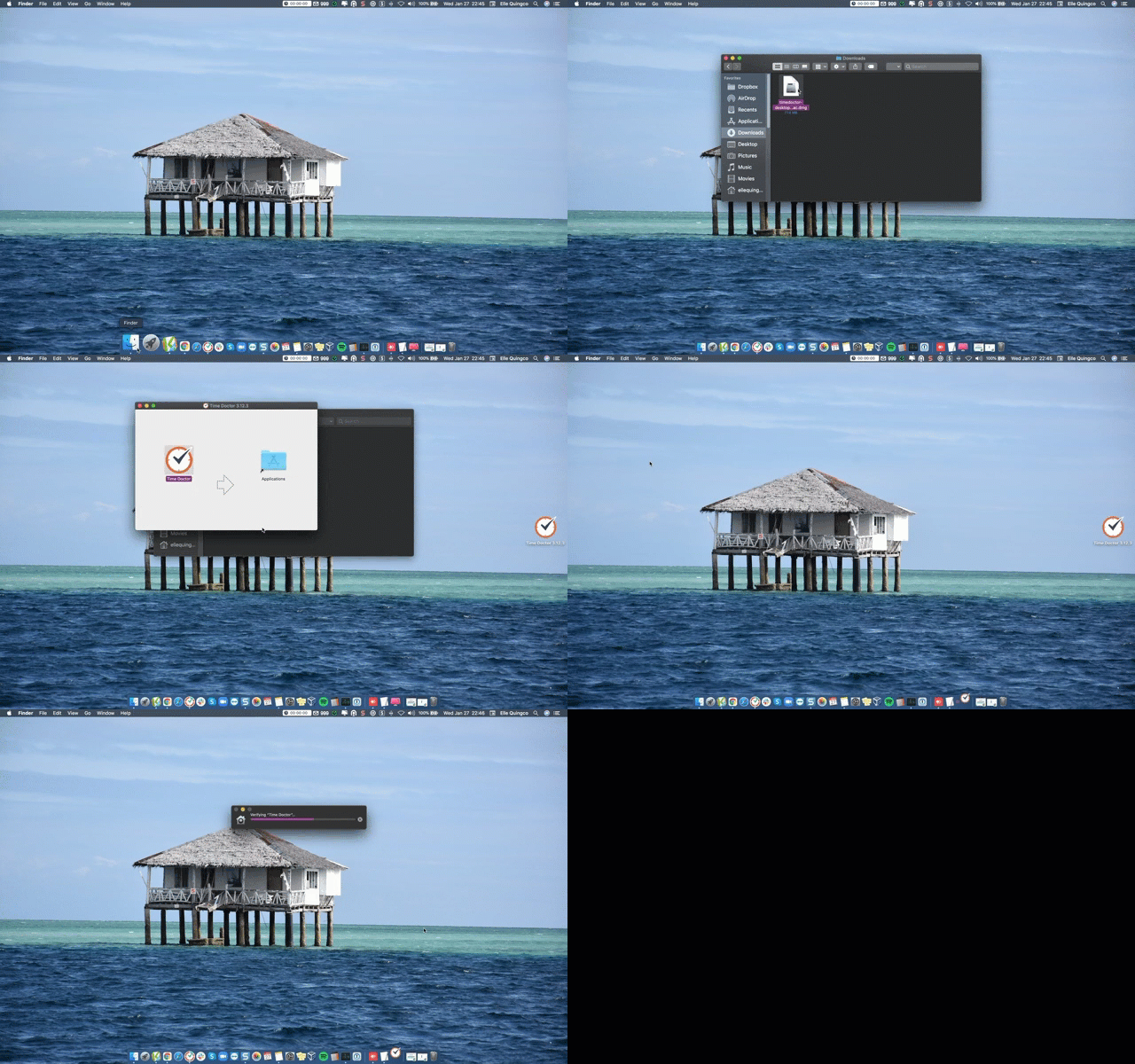
Open the Downloads folder.
-
Double-click the downloaded
.dmgfile. -
Drag the Time Doctor icon into the Applications folder.
-
Open Launchpad and locate the Time Doctor app.
That’s it! Time Doctor is now ready to track time on your Mac. Encountering an Error?
If an error message appears stating: "Error Creating 'Directory/Applications/Time Doctor'",
read this guide to resolve it: Fix: Error Creating "Directory/Applications/Time Doctor" (Mac)
Should there be any inconsistencies or concerns regarding the article, contact support@timedoctor.com for prompt assistance.